
AI Flashcard Generator (2025): Smarter Active Recall with TurinQ
AI Flashcard Generator (2025 Guide): Study Faster, Remember Longer
Summary
Upload notes, slides, textbooks, or videos → get auto-generated flashcards in seconds.
Supports Q&A, definitions, diagrams, examples, and can escalate difficulty with Bloom’s Taxonomy.
Works with multiple sources (PDF + lecture + YouTube) to create cohesive study decks.
Integrates spaced repetition (SRS) so tough cards appear more often.
Export to Anki, Quizlet, or keep within TurinQ for all-in-one study.
Why flashcards still rule in 2025

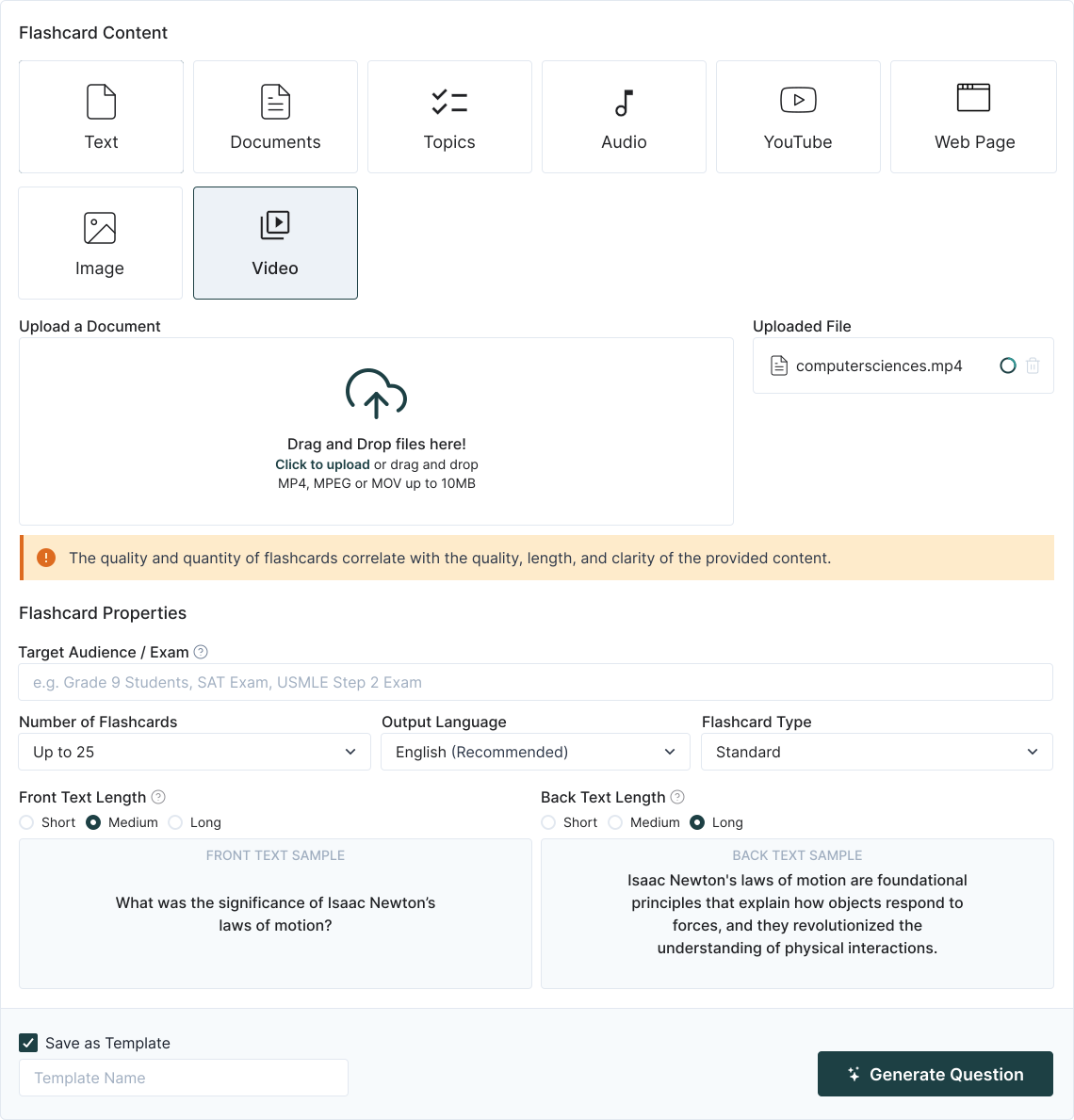
Step-by-step: Flashcards in TurinQ
1. Upload your content
Notes, PowerPoints, PDFs, YouTube links, even audio transcripts. TurinQ ingests it all.
2. Choose flashcard style
Standard, Fill in the Blanks, Bullet Point
3. Generate & refine
Edit, merge, or split cards; flag as “critical” to prioritize.
4. Study smarter
Use built-in spaced repetition so weak spots surface more often.
5. Export anywhere
Push decks to Anki, Quizlet, or use TurinQ’s native flashcard player with analytics.
What makes TurinQ’s flashcards unique?
Multi-source fusion – combine slides + readings + videos into one cohesive deck.
Bloom escalation – generate layered cards: first recall, then apply, then analyze.
Visual integration – crop images/diagrams directly into flashcards.
Performance tracking – analytics show which concepts you truly mastered.
Educator recipes you can steal
Lecture companion deck (10 min): upload today’s PPT → generate 40 cards (recall + apply) → share to class deck.
Pre-exam booster: upload a semester’s PDFs → produce 50 cards tagged by topic → share with students as an Anki pack.
Lab review: take annotated images → generate label-style flashcards for practical exams.
Student workflows (study smarter, not longer)
Nightly review: feed class notes → study a 20-card micro-deck before bed.
Finals sprint: auto-build a mega-deck, then let SRS decide what resurfaces.
Peer challenge: share exported decks, quiz each other, and compare progress.
Quality controls & pro tips
Keep it lean: 1 concept = 1 card. Break big ideas into smaller bites.
Mix levels: don’t stop at recall—add “apply/analyze” cards for exam-level prep.
Use diagrams: visuals + prompts = stronger memory hooks.
Track weak spots: TurinQ’s analytics help you spot cards you fail repeatedly.
Next steps
Start with TurinQ for free today!
Want the full study loop? Combine with AI Study Guide Maker and Random Question Generator for mastery.

Build the full loop: explore AI Question Generator (Bloom-aligned) and AI Study Guide Maker turn your images into a complete study stack.
Frequently Asked Questions
Can I export to Anki or Quizlet?
Does it handle diagrams?
Yes—upload images, crop regions, and make them into front/back cards.
Can I merge sources?
Absolutely—combine lecture slides, readings, and videos into one unified deck.
Does it support spaced repetition?
Yes—TurinQ’s SRS engine prioritizes tougher cards for maximum retention.
Table of Content
Recent Posts



Shapes Flashcards

Number Flashcards

Colors Flashcards
