Video to Quiz: Transform Your Multimedia Content into Engaging Assessments
As education shifts toward multimedia, instructors increasingly use video lectures, podcasts, and recorded seminars to deliver content. But assessing understanding from these formats can be difficult. With Video to Quiz, you can instantly generate accurate, on-topic questions using transcripts, subtitles, or built-in AI processing. Turn your multimedia content into interactive quizzes that boost engagement and measure real comprehension—perfect for modern classrooms, online courses, and corporate training.
Accuracy and Content Validity
By relying on user-provided text, questions remain grounded in authoritative, selected information. This approach significantly reduces the risk of “AI hallucinations.”
Custom Fit to Your Curriculum
Align every quiz item with your explicit learning objectives. Ensure that tests measure what you truly intend, leading to more meaningful assessment outcomes.
Time-Saving and Efficient
Quickly generate a base set of questions rather than writing them all manually. Spend your time refining and improving questions rather than starting from scratch.
Supports Ongoing Improvement
As your materials or objectives evolve, update the text and regenerate questions, ensuring that assessments keep pace with educational or corporate demands.
Integrating Video Lectures into Assessments
- Select a recorded lecture or educational video relevant to your lesson.
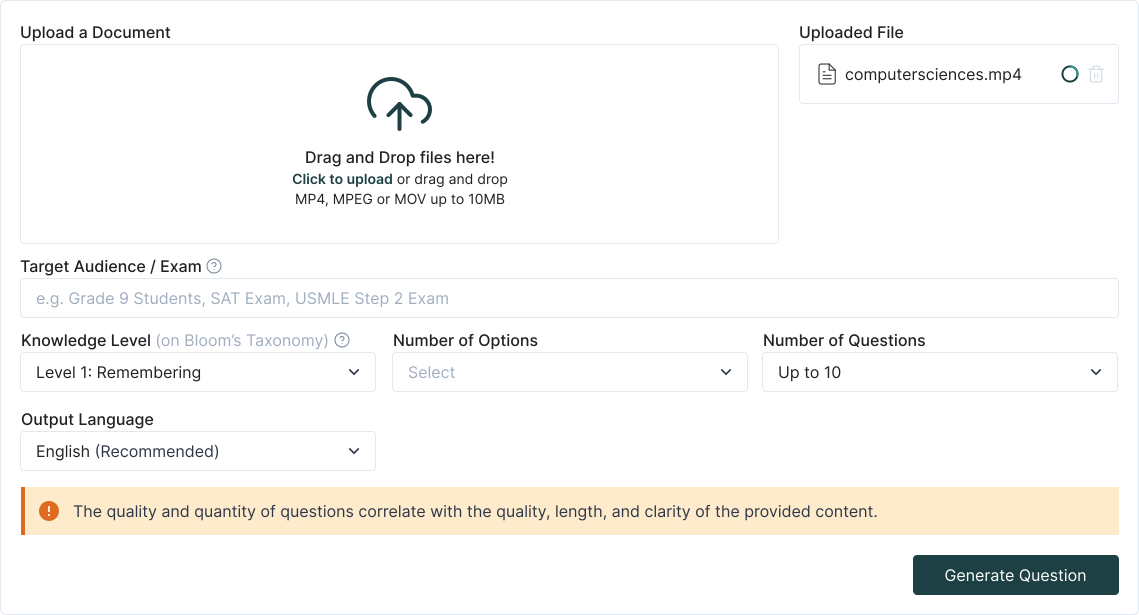
- Provide its transcript or subtitle file to TurinQ, or utilize built-in tools if available.
- Have the system generate initial quiz questions, then refine them for clarity and alignment with your teaching goals.
- Export and integrate the quiz into your LMS to evaluate learners before or after viewing the video content.
Supplementary Study Materials
- Students can transform their favorite educational podcasts into quizzes, allowing them to test their retention of key points.
- Repeated quizzes over time can help learners gauge improvement, guiding them to revisit challenging segments.
Who Benefits from Video to Quiz?
An all-in-one solution to transform text into engaging learning tools for students, educators, independent learners, and corporate teams.
Students and Independent Learners
- Convert recorded lectures, educational videos, or informative podcasts into quizzes that check understanding.
- Reinforce learning by actively recalling key points instead of passively re-listening or re-watching.
- Identify unclear sections and refocus study efforts, improving overall retention and comprehension.
Teachers, Instructors, and Tutors
- Build a Targeted Question Bank: Use video recordings of your classes, expert interviews, or guest lectures as a source for quiz questions.
- Content Validity and Relevance: By drawing directly from your chosen video or audio, questions remain aligned with the material’s intended learning outcomes.
- Manual Refinement: After auto-generating questions, review and edit them to match the difficulty, depth, and critical thinking levels you desire.
Educational Institutions and Corporate Academies
- Create standardized tests from institutional training videos, instructional webinars, or compliance-focused audio segments.
- Ensure that your assessments accurately reflect the communicated material, whether it’s corporate policies, technical tutorials, or project briefs.
- Although direct exams through TurinQ are not available yet, you can export question sets for integration into your LMS, guaranteeing efficient and consistent evaluation processes.
Corporate and Personalized Learning Solutions
- Convert training videos, product demos, or educational clips into tailored quizzes.
- Ensure precise content testing, eliminate guesswork, and customize complexity to engage employees and learners effectively.

How it Works
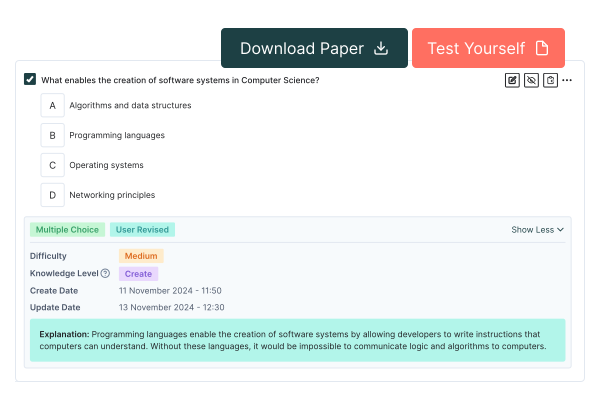
Effortlessly generate, refine, and export custom quizzes with TurinQ. Transform your content into engaging assessments tailored to your learning goals.
Key Advantages of the Video to Quiz Feature
- Extract precise dialogue, explanations, and discussions from your video or audio files to generate grounded questions.
- Utilize transcripts or subtitles to minimize errors and ensure quizzes are accurate, on-topic, and factually sound.
- Create multiple choice, true/false, multiple response, very short answer open ended questions tailored to various cognitive levels, from basic recall to analytical thinking.
- Edit, refine, or add custom questions to emphasize critical insights or practical applications.
- Store question sets for reuse across classes, semesters, or training cycles.
- Continuously update questions with new multimedia content to maintain relevance and engagement.
- Export question sets for integration with LMS platforms like Moodle, Blackboard, or Canvas.
- Ensure smooth implementation of multimedia-based quizzes into your learning ecosystem.

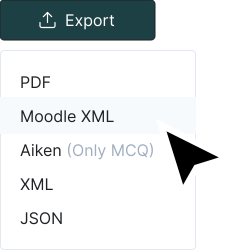
LMS-Compatible Export (Manual Integration)
- While direct exam administration within TurinQ isn’t currently supported, exporting question sets is simple.
- Incorporate these quizzes into Moodle, Blackboard, Canvas, or other LMS platforms to provide authentic assessments aligned with your verified content.
Example Scenarios
- Exam Preparation for Students:
- A language student watches an instructional video on French grammar.
- Converting the video’s transcript into a quiz helps them self-assess comprehension and identify grammar rules needing more practice.
- Periodic Knowledge Checks for Corporate Training:
- A company shares a recorded webinar on new compliance regulations.
- By generating a quiz from the webinar’s transcript, the HR department ensures employees have absorbed the critical details.
- Updated webinars can lead to revised question sets, maintaining training relevance over time.
- Course Enhancement for Instructors:
- An instructor uses a guest speaker’s recorded talk as course material.
- After generating initial questions, the instructor adds open-ended queries inviting students to interpret and critique the speaker’s viewpoints, deepening the learning experience.

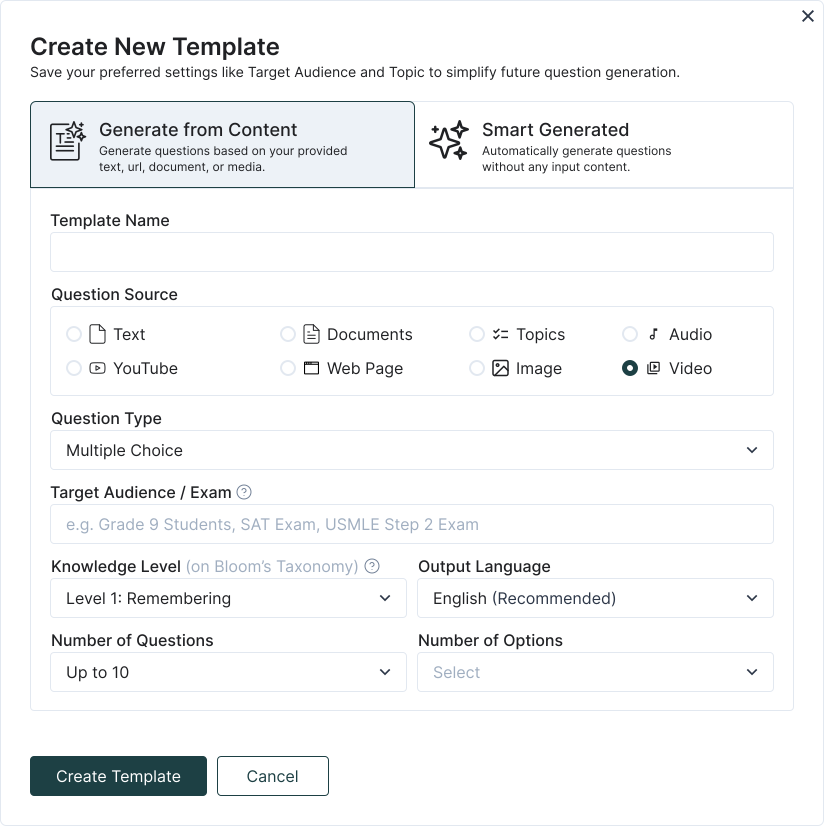
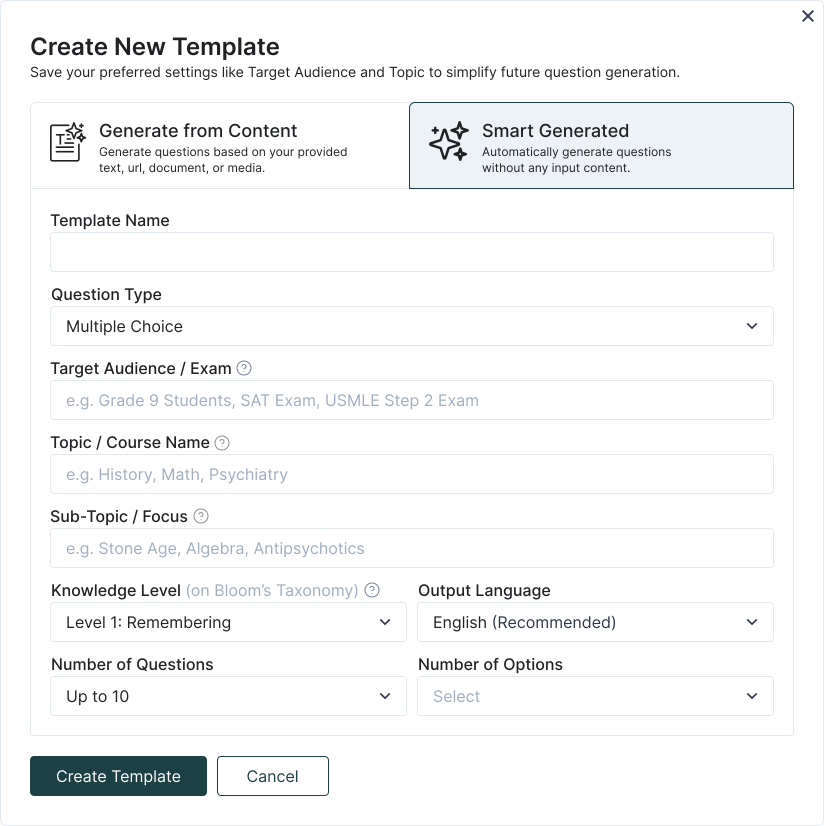
Streamlined Question Generation with TurinQ Templates
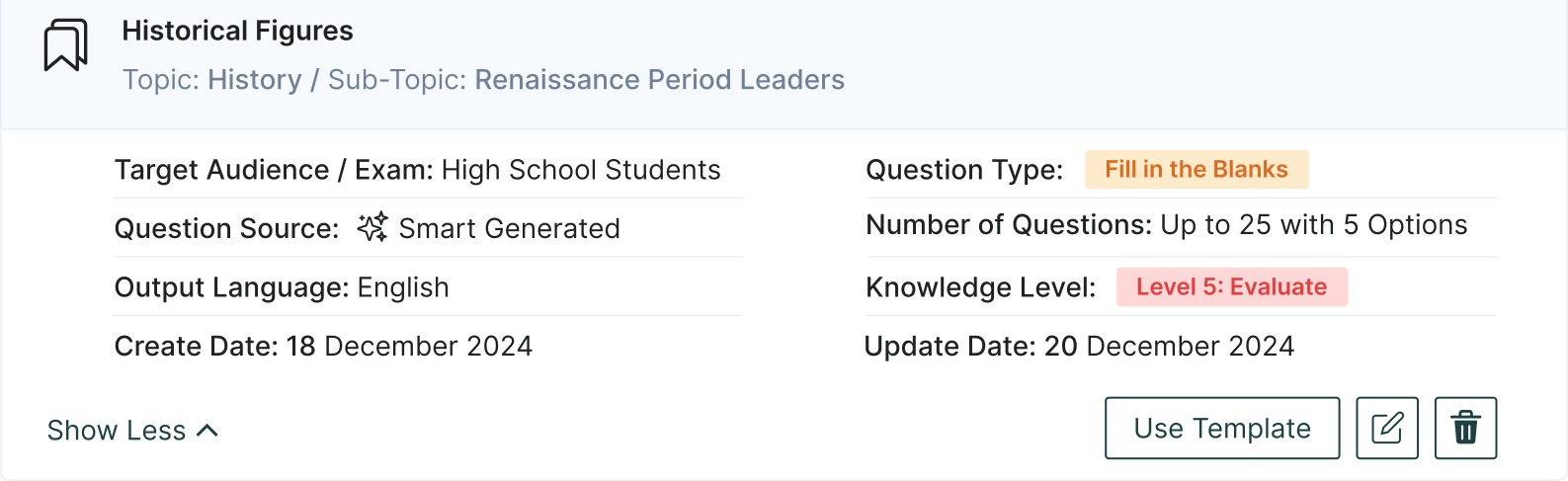
- With just one click, select your favorite template and have your quiz ready instantly. Say goodbye to repetitive steps and boost your efficiency!
- With our Template feature, you can easily save your frequently used settings—such as the number of questions, types (Multiple choice, multiple response, true/false, fill in the blanks, very short answer or open-ended), the language, target audience, topic, sub-topic—and name them however you like.
Frequently Asked Questions
Is Turinq.com free to use?
For the most part, yes! Many features of Turinq.com are completely free. You can create a question bank, manually input and save your own questions, and generate unlimited quizzes from your saved questions at no cost. However, if you wish to continue generating questions using AI after the 7-day trial, a modest and education-friendly fee will be required.
What is the "Generate from Content" feature in TurinQ?
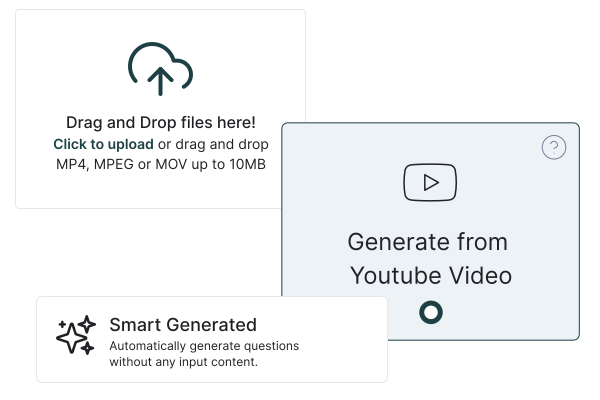
The “Generate from Content” feature in TurinQ allows users to create customized quizzes directly from their own content, including DOC, PPTX, audio, video, topic, lecture notes, study guides, PDFs, or any other reference materials. This ensures that your quizzes are tailored to your specific learning materials, improving the relevance and accuracy of your assessments.
How can I use my lecture videos to generate quizzes in TurinQ?
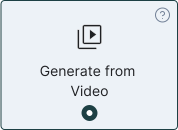
To generate quizzes from your lecture videos or content, simply upload the content into TurinQ. The platform will analyze the video and automatically generate questions based on the material. This feature helps you create quizzes that reflect your exact curriculum, allowing you to study more efficiently.
What types of question formats does TurinQ support for quiz generation?
TurinQ offers a wide range of customizable question formats, including multiple choice, true/false, very short answer, fill in the blanks, open ended and multiple response questions. Whether you’re creating a basic quiz or a more advanced assessment, TurinQ supports various formats to suit your needs, ensuring flexibility and adaptability for all types of learners.
Does TurinQ support Bloom’s Taxonomy for creating quiz questions?
Absolutely! TurinQ fully supports Bloom’s Taxonomy, enabling you to create questions that cater to different cognitive levels—from remembering and understanding to analyzing, evaluating, and creating. This ensures that your quizzes not only test factual knowledge but also assess higher-order thinking skills, making your assessments more comprehensive and impactful.
What types of content can I use to generate quiz questions in TurinQ?
You can generate quiz questions from a variety of content types with TurinQ. Whether it’s lecture notes, textbooks, study guides, PDFs, video transcripts, web sites, images or any other written resource, TurinQ can analyze and transform your materials into relevant and tailored quiz questions. This versatility allows for efficient study and testing across multiple subject areas.
Can I create exams directly from my own content in TurinQ?
Yes, you can! TurinQ enables you to generate full-fledged exams directly from your own content. By uploading your reference materials—whether they’re lecture notes, PDF documents, docs, audios or other resources—you can easily convert them into comprehensive exams, ensuring that your assessments are personalized, relevant, and aligned with your curriculum or training objectives.
Recent Posts



Shapes Flashcards

Number Flashcards

Colors Flashcards

Printable Flashcards
Important Note: Like other features, TurinQ does not currently support direct exam administration to others, real-time testing, or issuing certificates. Instead, its primary purpose is to enable individuals, educators, and institutions to generate question sets from their chosen video or audio materials. You can then export these sets and manually integrate them into your LMS or exam platform to conduct assessments aligned with your curriculum or training objectives.
Conclusion
Video and Audio to Quiz leverages the spoken word and dynamic visuals of multimedia content to create meaningful, accurate assessments. By working from transcripts or subtitles, the system ensures that questions remain closely tied to the actual material presented, minimizing irrelevant or misleading items.
While direct exam administration or certification within TurinQ is not yet available, exporting your question sets to an LMS or exam platform is straightforward. Embrace this feature to transform passive viewing or listening experiences into active, measurable learning opportunities that enhance engagement, retention, and educational value for students, trainees, and professionals alike.
Why Choose Video and Audio to Quiz?
- Authentic Alignment with Spoken Content:
- Questions derive directly from the material students or trainees have listened to or watched.
- Better Engagement and Active Learning:
- Instead of passively consuming multimedia, learners actively recall and apply information, improving retention.
- Highly Customizable and Scalable:
- Suitable for diverse educational levels, corporate roles, and subject areas.
- Easily update question sets as you add new audiovisual content or shift educational priorities.