
AI Study Guide Maker (2025): Smarter Summaries with TurinQ
AI Study Guide Maker (2025 Guide): Turn Chaos into Clarity
Summary
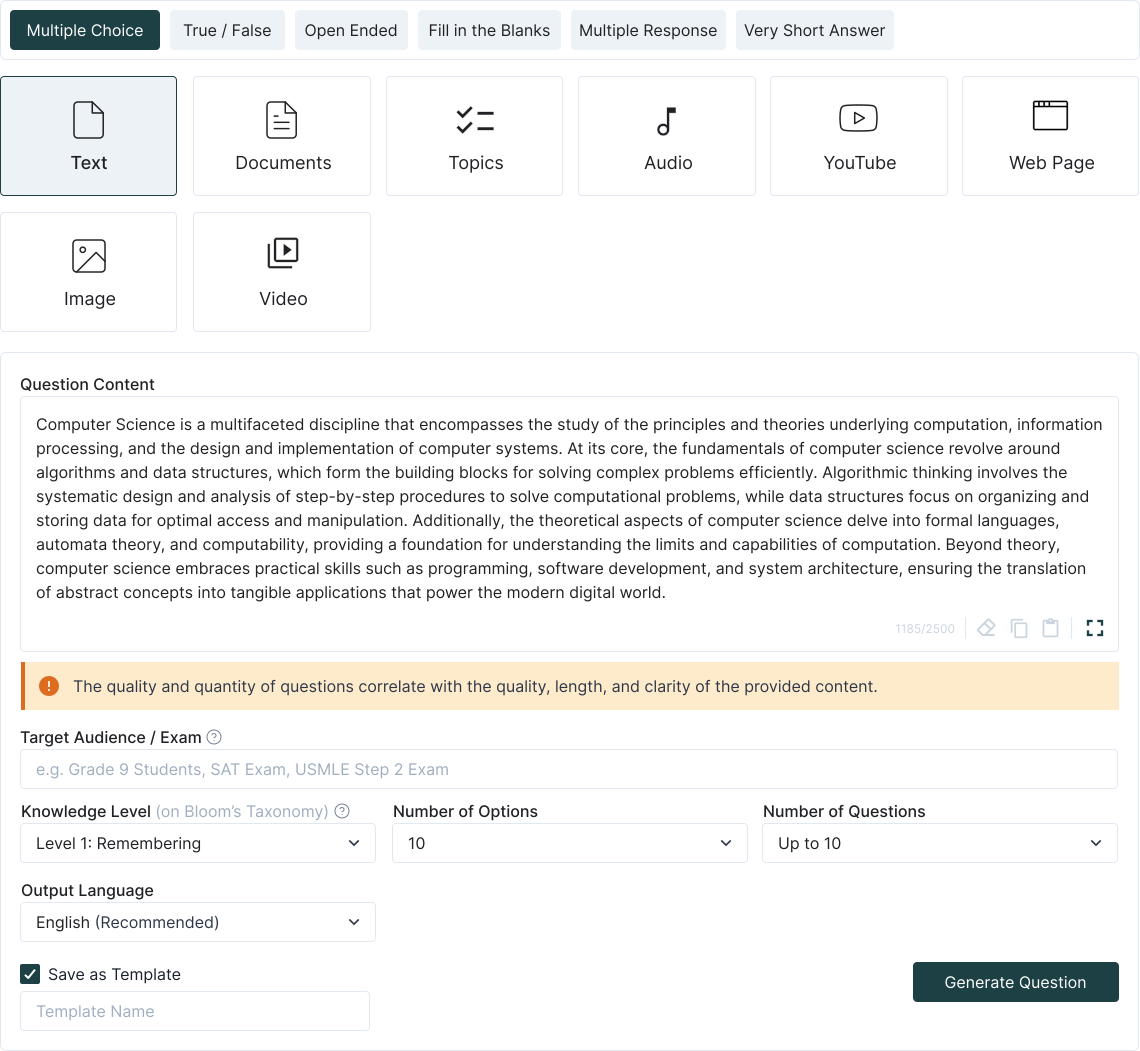
Upload notes, slides, PDFs, YouTube links, or audio → get a clean, structured AI-generated study guide.
Highlights key concepts, definitions, examples, and Bloom-level summaries.
Auto-organizes by topics, outcomes, or chapters—no more messy notebooks.
Works for both students prepping for exams and educators creating review sheets.
Bonus: generate linked flashcards + quizzes directly from the guide.
Why AI study guides matter in 2025
Drowning in slides, PDFs, lecture notes, and playlists? A good study guide is the bridge between raw content and exam mastery. TurinQ automates the boring parts: condensing, organizing, and highlighting—so you spend more time studying and less time formatting.

Step-by-step: AI Study Guide in TurinQ
1. Upload your content
Slides, PDFs, lecture notes, YouTube videos, even audio transcripts.
2. Ask or Chat
Type your own question or chat with your own AI Tutor
3. Convert the session into notes
Turn your session into work guides, work notes, briefing documents, presentations, timelines, and frequently asked questions.
What makes TurinQ’s Study Guide Maker different?
Multi-source fusion – merge notes, slides, PDFs, PPTX, and videos into one cohesive guide.
Bloom-aware summaries – not just bullet points, but layered questions that push thinking higher.
Connected learning loop – every guide can spawn quizzes and flashcards automatically.
Reusable for institutions – faculty can generate department-wide guides for consistency.
Educator recipes you can steal
Pre-exam master guide (20 min): upload all Unit 1–4 slides + readings → produce a polished 12-page study guide → share with students.
Weekly digest: upload lecture slides → generate 3-page summary → include 10 self-check quiz questions.
Course pack: merge multiple faculty files → build a standardized guide for the entire class.
Student workflows (study smarter, not longer)
Finals prep: upload semester notes → build one mega study guide → spin off quizzes from each section.
Catch-up week: missed lectures? Upload slides + recordings → get a guide + practice items in minutes.
Lab/clinical review: use transcripts or notes → generate concise, outcome-based guides.
Quality controls & pro tips
Trim redundancy: merge duplicates, focus on key terms.
Use Bloom layering: don’t just memorize—add “why/how” cards for exam realism.
Make it collaborative: share guides as editable docs for group study.
Connect outputs: always pair guides with quizzes/flashcards for active recall.
Next steps
Start with TurinQ for free today!
Start here → AI Study Guide Maker (free to test with a small file).
For full mastery, connect your guide with AI Flashcards and Random Question Generator.

Want the full study loop? Combine with AI Quiz Generator and Flashcard Maker for questions + answers + active recall.
Frequently Asked Questions
Can I combine multiple files?
Yes—TurinQ merges PDFs, slides, and notes into one study guide.
Can I export?
Yes—download as PDF/Word, or keep in TurinQ for live updates.
Does it support video/audio?
Absolutely—transcripts are pulled into the guide and summarized by topic.
How is it better than a summary tool?
TurinQ builds study-ready guides with Bloom-linked practice, not just text compression.
Table of Content
Recent Posts



Shapes Flashcards

Number Flashcards

Colors Flashcards
