
Audio to Quiz in Minutes (2025): Bloom-Aligned & LMS-Ready
Audio to Quiz in Minutes (2025 Guide): Turn Lectures & Podcasts into Active Learning
Summary
Upload any MP3/WAV/M4A (lectures, seminars, podcasts, voice notes) → get ready-to-use MCQ, T/F, fill-in, short-answer items.
Auto-transcribes speech and keeps questions grounded in your audio (no guessing, no drift).
Dial difficulty with Bloom’s Taxonomy (remember → evaluate) and tag by topic/outcome.
Export to Canvas/Moodle/Google Forms/Kahoot, or save to a reusable question bank.
- Bonus: generate notes, timestamps, flashcards, and a study guide from the same file.
Why turn audio into quizzes?
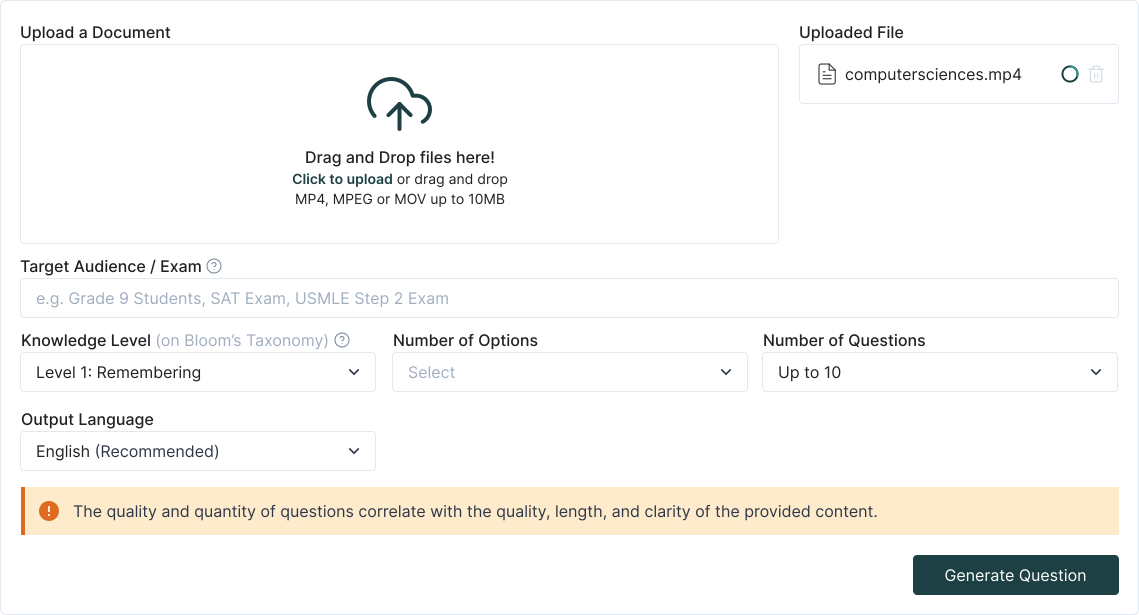
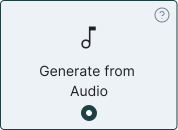
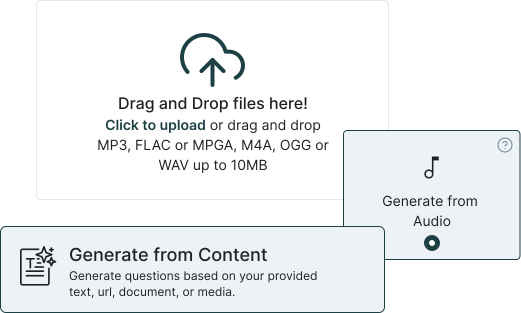
Step-by-step: Audio to Quiz
1. Upload your file
Drag in MP3/WAV/M4A (class recordings, podcast episodes, voice memos). Optional: add a title and course/topic tags.
2. Transcribe & segment
TurinQ auto-transcribes the audio and chunks it by sections (chapters/silence/markers). You can tweak segment names (e.g., “Hormonal Control,” “Case Study”).
3. Choose your goal
Quick check: 8–12 mixed questions from the whole recordingSection check: build items per segment (great for flipped classes)Self-study: quiz + flashcards + concise notes
4. Pick cognitive level (Bloom)
Blend recall prompts with apply/analyze/evaluate so practice mirrors grading.
5. Auto-generate & refine
Edit stems/distractors, attach optional timestamps (e.g., 12:41–13:20), add hints, and tag items by topic/outcome. Keep the best in your question bank.
6. Export & share
Copy to your LMS/Forms/Kahoot or publish a practice set directly for your class/study group.
What makes TurinQ great for audio-based assessment?
Grounded & accurate
Items are generated from your transcript, keeping terminology on-syllabus and reducing “model drift.”Higher-order thinking on tap
Escalate a recall item into an application scenario or analysis mini-case with one click.Reusable banks & insights
Build durable banks from recurring talks; use analytics to spot weak outcomes before exams.Multi-speaker friendly
Guest panels and Q&A? Segment by speaker/topic to keep items focused.
Educator recipes you can steal
Entrance ticket (5–7 min)
Upload yesterday’s lecture recording → generate 6 questions (4 recall, 2 apply) → post as a warm-up quiz.Seminar companion (10–15 min)
Segment a 40-min guest talk into 4 parts → create 4×5 questions → export to Canvas as mini-quizzes.After-action review (8 min)
From a lab debrief, generate analysis prompts; students cite timestamps in short answers.

Student workflows (study smarter, not longer)
Commute study: drop your professor’s audio → run a 6-item quiz → convert misses into flashcards.
Podcast drill: practice key claims/methods/limits after an episode; add tricky terms to spaced review.
Finals stack: compile multiple recordings into one question bank; filter by topic and Bloom level.
Quality controls & pro tips
Noisy audio? Run a quick cleanup or upload the “best” version; you’ll get crisper transcripts and better items.
Too easy? Raise Bloom to analyze/evaluate; add constraints (“compare X vs Y in context Z”).
Too broad? Use segments (e.g., 18:20–27:10) to build section-specific items.
Open-ended grading? Switch some prompts to short-answer for AI-assisted feedback.
Keep receipts: attach timestamps to items so learners can jump back to the exact moment.
Next steps
Start with TurinQ for free today!
Ready to try? Start here → Audio to Quiz (free to test with a short file).
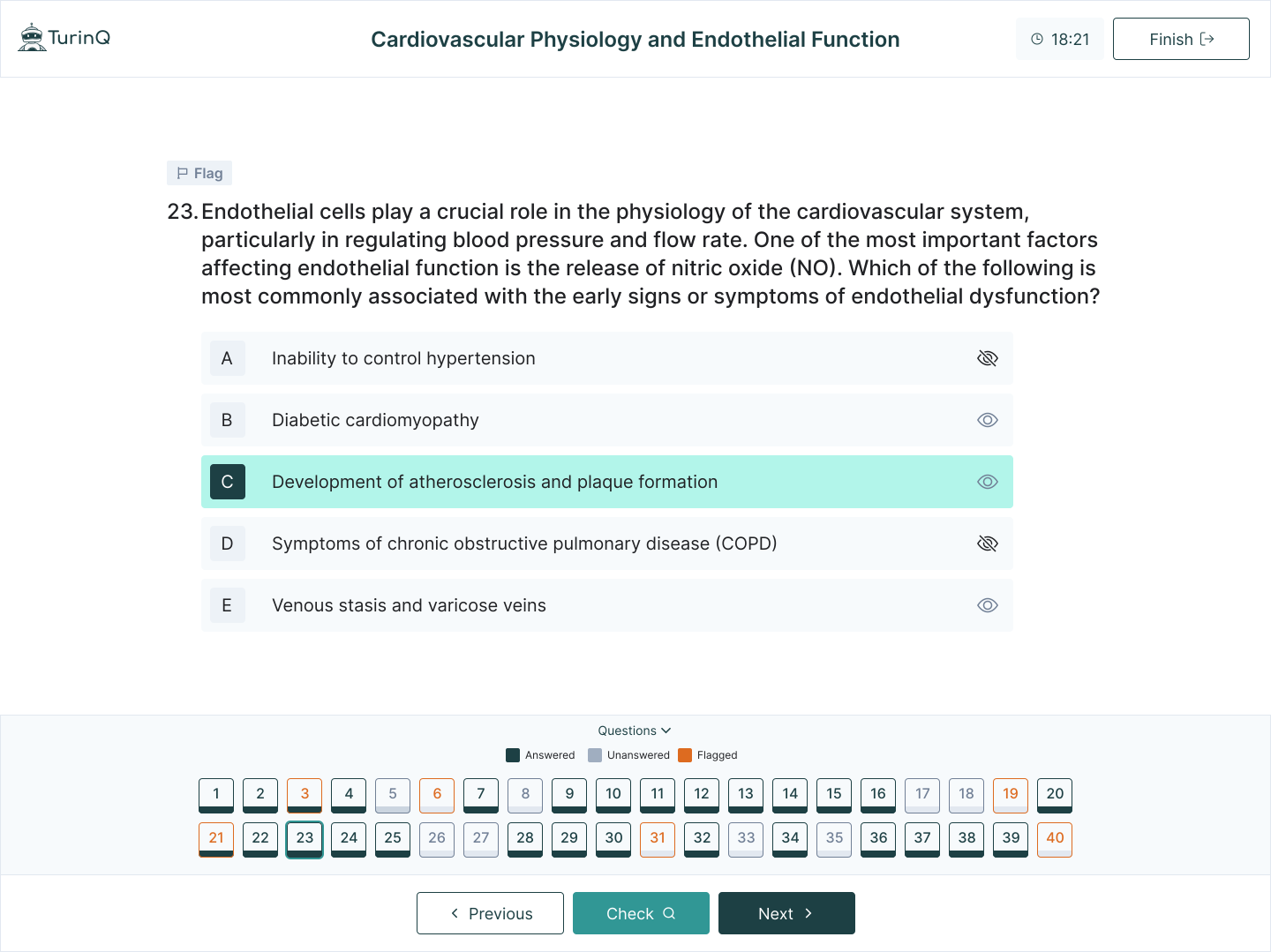
Build the full loop: AI Question Generator (Bloom-aligned) and AI Study Guide Maker turn your audio into a complete study stack.
Frequently Asked Questions
Does it work with long recordings?
Yes—upload full lectures or multi-hour seminars; segment by chapter or time range for targeted practice.
Can I control the item mix?
Absolutely. Set proportions (e.g., 60% MCQ, 20% T/F, 20% short-answer) and choose your Bloom distribution.
What about accents or multiple speakers?
Transcription handles varied speakers; you can rename segments (Speaker A/B) and generate items per section.
Is it only for education audio?
No—talks, tutorials, webinars, interviews… if it teaches, it can become practice.
Table of Content
Recent Posts



Shapes Flashcards

Number Flashcards

Colors Flashcards
