Image to Quiz in Minutes (2025): Bloom-Aligned & LMS-Ready
Image to Quiz in Minutes (2025 Guide): Turn Diagrams, Photos & Handwritten Notes into Practice
Summary
Upload JPG/PNG/PDF scans (diagrams, whiteboards, workbook pages, handwritten notes) → get MCQ, T/F, fill-in, short-answer items in minutes.
OCR extracts key terms; keep questions grounded in your image (no drift).
Dial difficulty with Bloom’s Taxonomy (remember → evaluate) and tag by topic/outcome.
Attach image snippets to items (e.g., crop the nerve branch, graph region, or table cell the question refers to).
Export to Canvas/Moodle/Google Forms/Kahoot or save to a reusable question bank.
Bonus: spin the same images into a study guide and flashcards in one session.
Why turn images into quizzes?
Because a lot of learning is visual—anatomy plates, circuit schematics, chemistry mechanisms, econ graphs, lab photos. Reading them isn’t the same as interpreting them. TurinQ converts your visual sources into active practice so students label, compare, and explain what they see.
Step-by-step: Image to Quiz
1. Upload your files
Clear photos of notebook pages, scans of worksheets/diagrams, or screenshots. One file or a batch—your choice.
2. (Optional) tidy up
Quick crop/rotate if needed; group multi-page sets by topic (“Brachial plexus,” “Supply & demand shifts”).
3. Choose your goal
Quick check: 8–12 mixed questions from the whole recordingSection check: build items per segment (great for flipped classes)Self-study: quiz + flashcards + concise notes
4. Pick cognitive level (Bloom)
Start with recall (“name the structure”) and escalate to apply/analyze/evaluate (“predict the deficit if X is damaged,” “explain the trend in region A”).
5. Auto-generate & refine
Edit stems/distractors, attach cropped snippets from the original image, add hints, tag items by outcome. Save the keepers to your question bank.
6. Export & share
Copy to LMS/Forms/Kahoot or publish a practice set directly. Reuse the same bank next term.
What makes TurinQ great for image-based assessment?
OCR + handwriting aware
Reads printed text and clear handwriting on photos/whiteboards; you can review/adjust OCR before generating.Region-aware prompts
Attach small image snippets to questions so learners focus on the exact branch, node, band, or table cell you’re testing.Bloom on tap
Convert a label item into an application or analysis question with one click. Add short-answer prompts for deeper reasoning.Reusable banks & insights
Build durable, tagged banks from lab manuals, atlas pages, or past exams; analytics show where students struggle.
Educator recipes you can steal
Anatomy labeling (8–10 min)
Import the brachial plexus plate → generate 10 items (6 label, 4 application) → attach snippets for each branch → export to Canvas.Graph reading in econ (10–12 min)
Upload two supply–demand graphs → create compare/contrast questions (“What shifts from A to B?” “Which policy explains region C?”).Chemistry mechanisms (8–10 min)
Scan a reaction scheme → ask “what’s the next step?” or “which intermediate is stabilized?” → include distractors that reflect common misconceptions.

Student workflows (study smarter, not longer)
Notebook to quiz: snap two pages from today’s class, generate a 6-item quiz, convert misses to flashcards.
Diagram drill: practice label-then-explain: first name structures, then answer a short “so what?” application prompt.
Finals stack: batch-upload your unit diagrams; build a mixed bank, filter by topic or Bloom level, and drill weak spots.
Quality controls & pro tips
Capture cleanly: shoot flat and bright; avoid shadows; fill the frame.
Name clearly: “Unit-03_Electrolytes_Table2.png” beats “IMG_3029.jpg” for bank hygiene.
Make it specific: attach a snippet and ask about that region—less guessing, better learning.
Push depth: once labels are solid, regenerate at apply/analyze to hit exam-level thinking.
Mixed sets win: pair label questions with one short-answer “explain” item to cement understanding.
Next steps
Start with TurinQ for free today!
Ready to try? Start here → Image to Quiz (free to test with a couple of images).
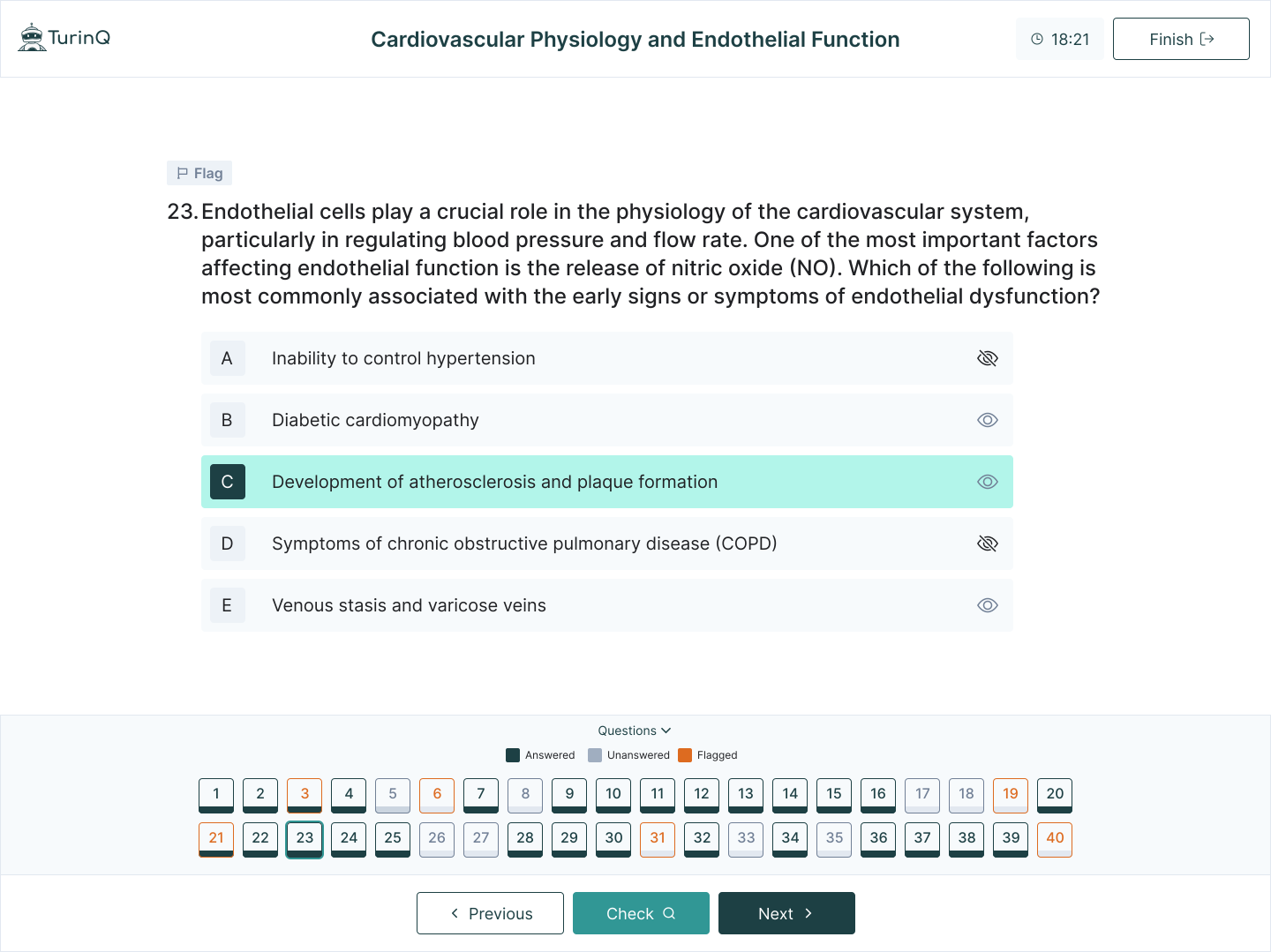
Build the full loop: explore AI Question Generator (Bloom-aligned) and AI Study Guide Maker turn your images into a complete study stack.
Frequently Asked Questions
Does it read messy handwriting?
Clear, high-contrast handwriting works best. You can review and fix OCR before generating questions.
Can I control the item mix?
Yes—set proportions (e.g., 50% label/MCQ, 20% T/F, 30% short-answer) and choose your Bloom distribution.
What file types are supported?
JPG/PNG images and PDF page scans. Batch uploads are fine.
How do I keep items accessible?
Add concise alt text and keep snippet contrasts high. Include a short caption when needed.
Table of Content
Recent Posts



Shapes Flashcards

Number Flashcards

Colors Flashcards
