
Random Question Generator with AI (2025)
Random Questions Generator with AI (2025 Guide): Keep Students Engaged Anytime
Summary
Generate random question sets from your content or AI prompts for quizzes, drills, and review.
Mix MCQ, T/F, short-answer, fill-in-the-blank formats to keep students engaged.
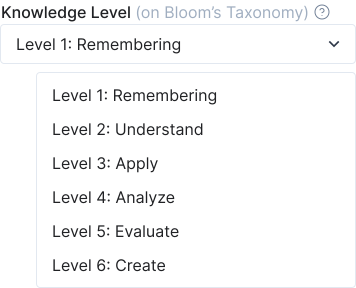
Control difficulty with Bloom’s Taxonomy levels (remember → create) for balanced assessment.
Export to Canvas/Moodle/Google Forms/Kahoot or save to a reusable question bank.
Bonus: combine with flashcards and study guides to reinforce active recall.
Why random questions matter
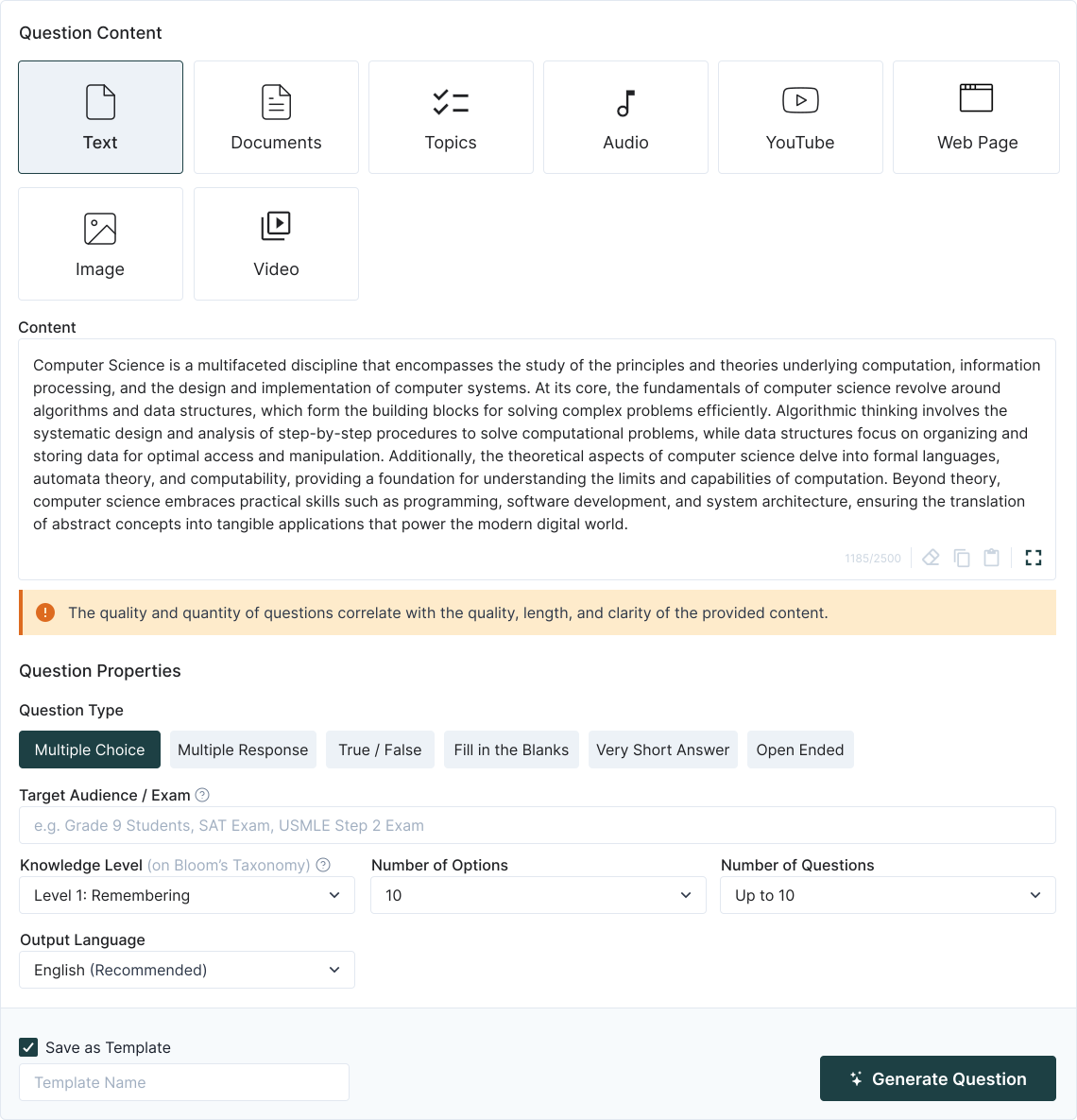
Step-by-step: Generate Random Questions
Upload your content or type prompts
You can start from lecture slides, PDFs, images, videos, or simply enter a topic or text block.Select question types and quantity
Decide how many MCQs, T/F, or short-answer items per set; combine formats to challenge different skills.Set cognitive levels (Bloom)
Balance recall with higher-order questions (application, analysis, evaluation, creation) to simulate real exam scenarios.Auto-generate & refine
TurinQ creates randomized items, shuffles choices, and suggests distractors. Edit or approve instantly.Export & reuse
Send sets to LMS, Google Forms, or Kahoot. Save in your question bank to regenerate fresh sets anytime.
What makes TurinQ great for random question generation?
Adaptive randomness
No two students get the same set unless you want them to, promoting fairness and reducing memorization.Multi-content compatible
Slides, PDFs, images, audio, or video—all content sources can feed the generator.Bloom-level mapping
Customizable difficulty ensures questions cover the full spectrum from remembering facts to creating solutions.Reusable question banks
Organize by topic, course, or Bloom level for rapid future use.

Educator recipes you can steal
Daily drill (5 minutes)
Generate 10–12 random MCQs from yesterday’s lesson; students complete them at the start of class.Flipped classroom check (10 minutes)
Students watch a lecture or read a chapter; assign a random 8-question quiz to ensure engagement.Exam prep (20 minutes)
Pull all unit content; generate a 40-item random quiz to simulate real exam conditions. Shuffle multiple sets for practice.
Student workflows (study smarter, not longer)
Micro-sprints: 5–10 minute sessions with new random questions daily.
Spaced repetition: regenerate questions from your saved bank to cover weak topics repeatedly.
Self-assessment: track performance across multiple randomized sets; convert repeated mistakes into flashcards.
Quality controls & pro tips
Review AI prompts to ensure relevance before generating questions.
Use Bloom settings to mix question difficulties—avoid all recall or all evaluation.
Track repeated errors using the question bank to identify knowledge gaps.
Combine with other TurinQ tools like PowerPoint-to-Quiz or PDF-to-Quiz for richer datasets.
Ready to prep smarter?
Start with TurinQ for free today!
Ready to move from reading to mastery? Try TurinQ with your handwritten notes lecture and feel the difference in one session.
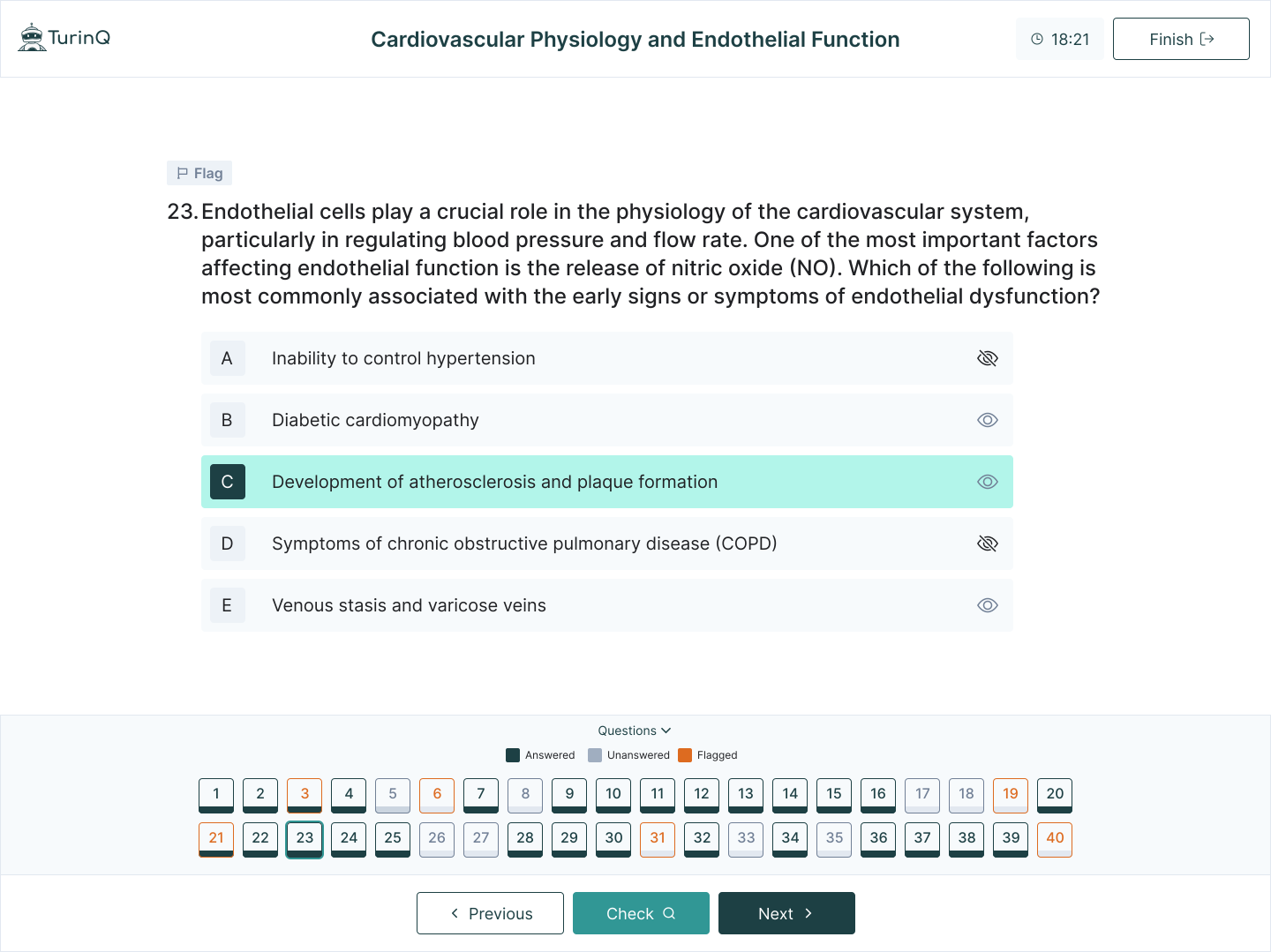
Start generating unique question sets now → Random Question Generator (free to test).
Frequently Asked Questions
Can I generate random questions from multiple content types at once?
Yes—mix slides, PDFs, videos, and audio in a single batch.
Can I control the question difficulty mix?
Absolutely—you can set proportions for Bloom levels and question formats.
Is this suitable for group games?
Yes—randomized sets make competitions, Kahoot games, and review activities fair and engaging.
Can I reuse the same content for future quizzes?
Yes—save items in your question bank for instant regeneration and fresh randomized quizzes.
Table of Content
Recent Posts



Shapes Flashcards

Number Flashcards

Colors Flashcards
