
YouTube to Quiz in Minutes (2025): Bloom-Aligned & LMS-Ready
YouTube to Quiz in Minutes (2025 Guide): Turn Lectures into Active Learning
Summary
Paste any YouTube link → get ready-to-use MCQ, T/F, fill-in, and short-answer items.
Align difficulty with Bloom’s Taxonomy (remember → evaluate) so students practice how they’ll be graded.
Auto-pulls transcript/chapters; time-stamps each item so you can jump back to the exact moment in the video.
Export to Canvas/Moodle/Google Forms/Kahoot or save to a reusable question bank.
Bonus: generate notes, flashcards, and a study guide from the same video in one session.
Why turn YouTube videos into quizzes?
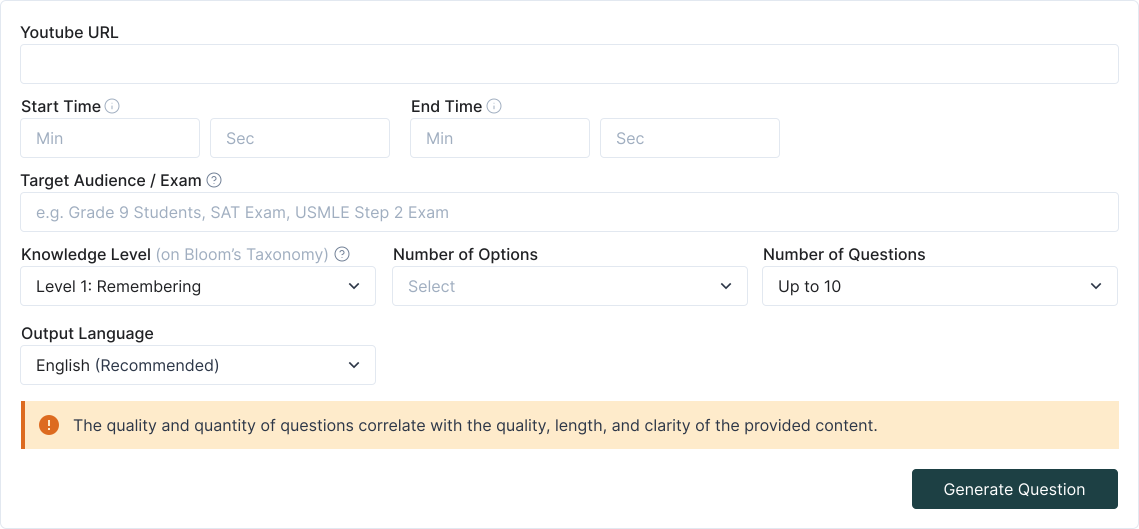

Step-by-step: YouTube to Quiz
1. Paste the YouTube URL
TurinQ fetches transcript/chapters (or auto-transcribes when needed) and preps the content for assessment.
2. Choose your goal
Quick check: 8–12 questions across the whole video, Section check: target a chapter or timestamp range, Self-study: quiz + flashcards + concise notes
3. Pick cognitive level (Bloom)
Blend recall prompts (“define/explain”) with higher-order tasks (“compare/apply/analyze”) to mirror your assessment style.
4. Auto-generate & refine
Edit stems/distractors, attach time-stamps (e.g., 03:42–04:10), add hints, and tag items by topic/outcome. Keep the best in your question bank.
5. Export & share
Copy to LMS/Forms/Kahoot or publish a practice set. Students can jump from a question straight to the relevant clip.
What makes TurinQ great for video-based assessment?
Time-linked evidence
Each item can reference the exact moment in the clip—perfect for flipped classes and review.Grounded & accurate
Items are generated from the video’s content, reducing drift and keeping terminology on-syllabus.Bloom on tap
Escalate a recall item to application/analysis with one click; generate short-answer prompts for deeper reasoning.Reusable banks & insights
Build durable banks from your channel playlist; use analytics to find weak outcomes and plan remediation.
Educator recipes you can steal
Entrance ticket (5–7 minutes)
Paste today’s pre-class video → generate 6 questions (4 recall, 2 apply) → deliver as a quick check before discussion.Lecture companion (10–15 minutes)
Cut a 30-min lecture into 3 timestamped sections → create 5 questions per section → export to Canvas as three mini-quizzes.Case study debrief (8 minutes)
From a documentary clip, generate analysis and evaluation prompts; students cite the timestamp in their answers.

Student workflows (study smarter, not longer)
Pre-watch primer: skim AI notes, then take a 4-question warm-up to activate prior knowledge.
Active watching: pause at chapters; answer a 2-item micro-quiz tied to each segment.
Finals sprint: convert your playlist into one mixed bank; drill by topic and Bloom level; convert misses into flashcards.
Quality controls & pro tips
No captions? Use the auto-transcribe toggle, then generate.
Too easy? Raise Bloom (apply/analyze) and regenerate distractors.
Too broad? Set a timestamp range (e.g., 12:10–18:40) and build section-specific items.
Long playlist? Batch videos into one question bank; tag by week or outcome for quick filtering.
Open-ended grading? Switch some items to short-answer for AI-assisted feedback.
Next steps
Start with TurinQ for free today!
Ready to try? Paste a link now → YouTube to Quiz (free to test).
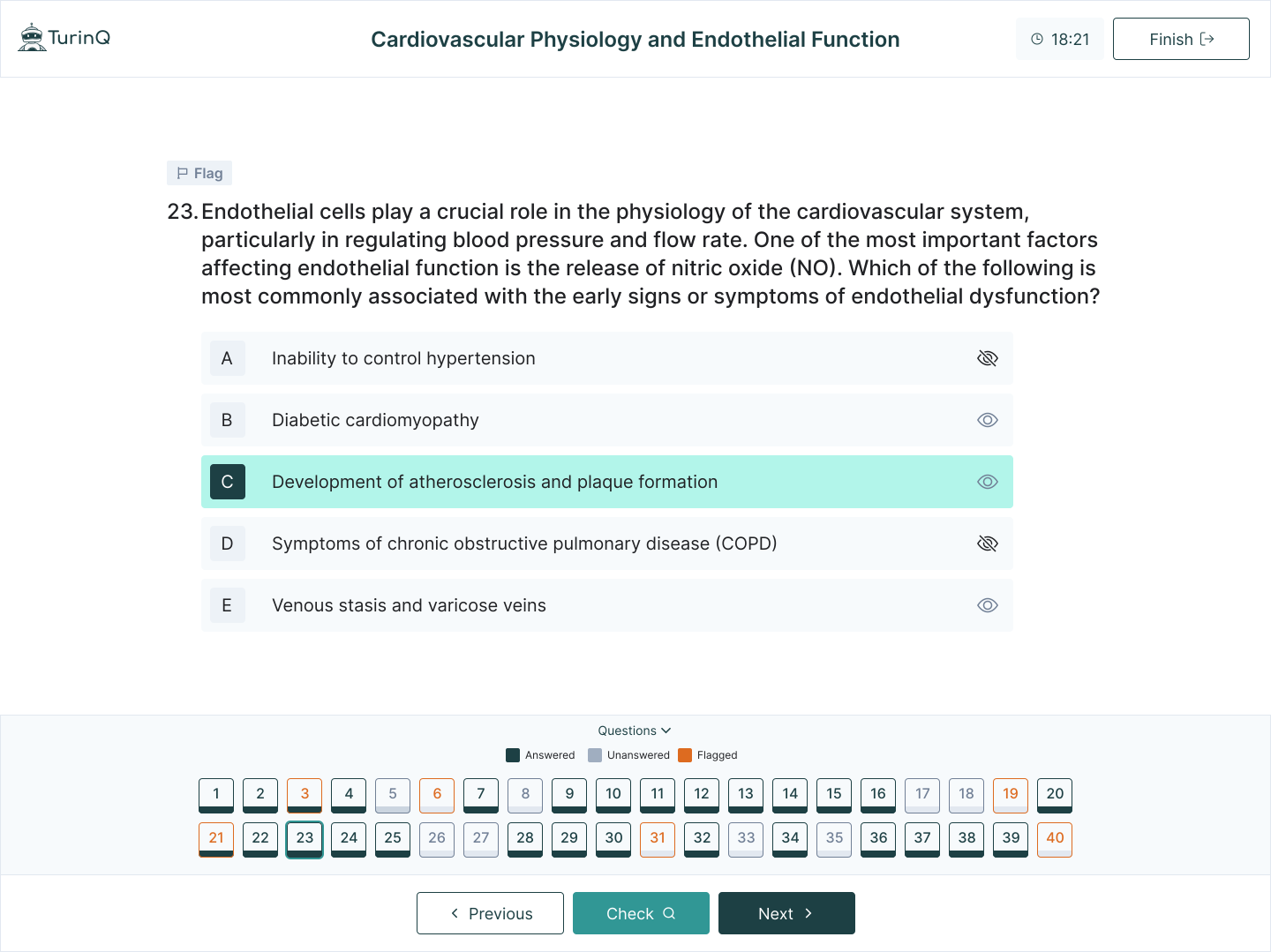
Level up the loop: explore AI Question Generator (Bloom-aligned) and AI Study Guide Maker to turn clips into full study stacks.
Frequently Asked Questions
Does it work with long lectures or multi-chapter videos?
Yes—target entire videos or specific chapters/timestamps. Items include optional time-stamps for quick review.
Can I control the mix of question types?
Absolutely—set proportions (e.g., 60% MCQ, 20% T/F, 20% short-answer) and your Bloom distribution.
What about group study or games?
Export MCQs to Kahoot/Forms and keep short-answer items in TurinQ for deeper follow-ups.
Is this only for education channels?
No—any video with instructional value (talks, labs, tutorials, explainers) can become practice material.
Table of Content
Recent Posts



Shapes Flashcards

Number Flashcards

Colors Flashcards
