
Notes to Quizzes in Minutes (2025): Bloom-Aligned & LMS-Ready
Make Quizzes from Notes (2025 Guide): Turn Your Lecture Notes into Active Practice
Summary
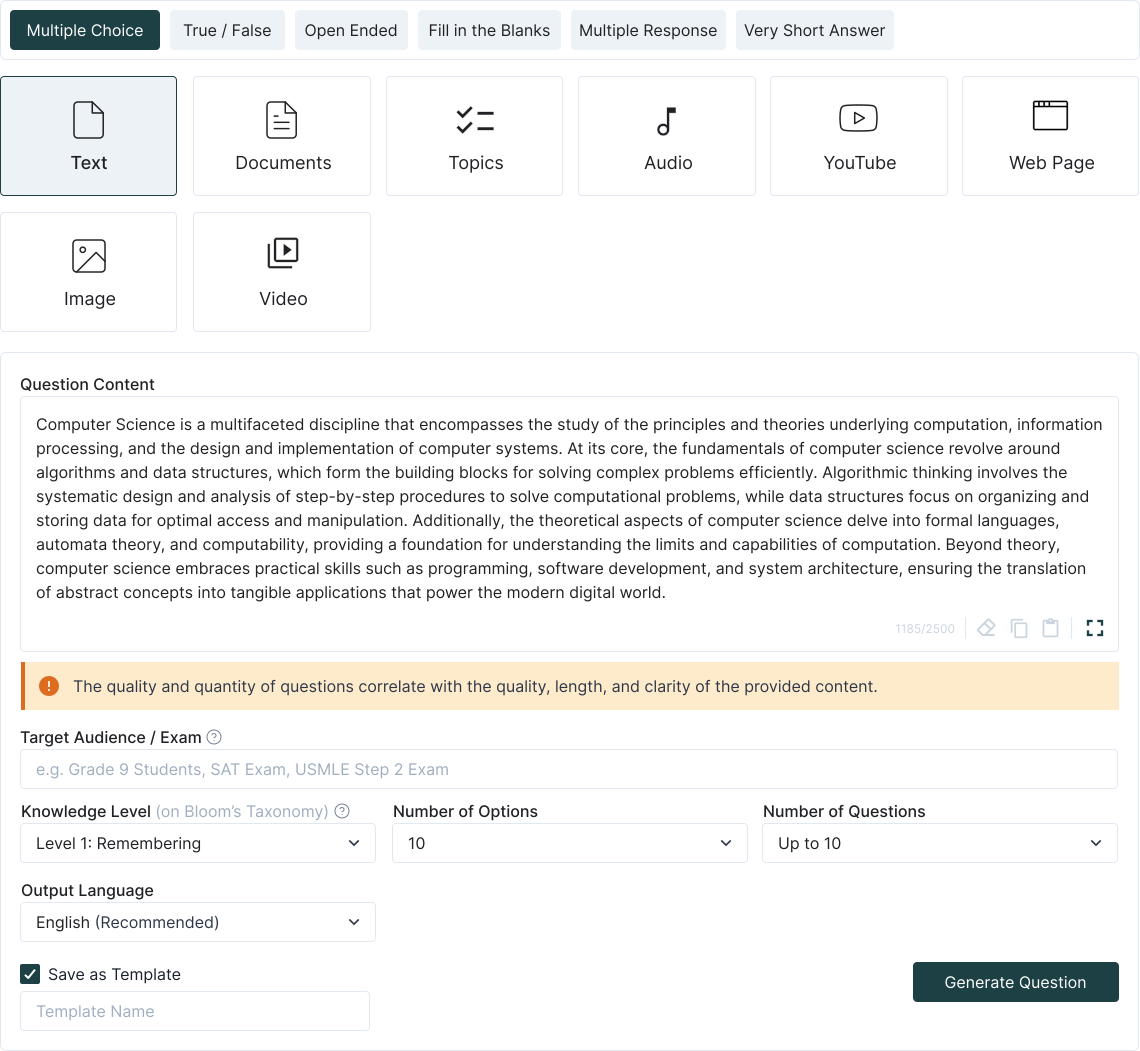
Upload handwritten or typed lecture notes, outlines, or summaries → get MCQ, T/F, short-answer, and fill-in questions.
Map questions to Bloom’s Taxonomy (remember → create) to maximize learning and exam readiness.
Works with text, bullet points, and embedded images; keeps questions faithful to your notes.
Export to Canvas/Moodle/Google Forms/Kahoot, or save to a reusable question bank.
Bonus: auto-generate flashcards and study guides from the same notes.
Why convert notes into quizzes?

Step-by-step: Notes to Quiz
1. Upload your content
Drag in Word, PDF, TXT, or image files of notes. Multi-page uploads are supported; group files by lecture or topic.
2. Select cognitive level (Bloom)
Mix simple recall (“define, list”) with higher-order prompts (“analyze, evaluate, create”) to match course expectations.
3. Auto-generate & refine
Edit question stems, distractors, and answers inline. Add hints and tag questions by topic or learning outcome. Save finalized items to your question bank.
What makes TurinQ ideal for note-based quizzes?
Multi-format support
Handles typed notes, scanned PDFs, and handwriting (OCR). Keeps terminology accurate and on-topic.Bloom-aligned
Easily escalate items from recall to application/analysis for exam-style preparation.Reusable banks & insights
Track which items students frequently get wrong; optimize future quizzes for focused learning.Time-saving
Convert a week’s lecture notes into a full quiz bank in minutes—perfect for busy educators and students.
Educator recipes you can steal
Warm-up quiz (5 minutes)
Upload yesterday’s notes → generate 6–8 mixed questions → post as pre-class warm-up.Unit review (20 minutes)
Combine 3–5 lecture notes → generate 30–40 questions → export to LMS; use for midterm practice.Active learning slot (10 minutes)
Generate 5–6 higher-order questions from today’s notes → use as in-class discussion prompts.
Student workflows (study smarter, not longer)
Daily recap: upload notes → run a 5–6 question quiz → convert mistakes into flashcards.
Exam prep: combine multiple lectures → build a mixed quiz bank → filter by topic or Bloom level for targeted practice.
Group study: share note-based quizzes in Kahoot or Forms → compare answers and discuss rationales.
Quality controls & pro tips
Clear notes = better questions: scan or type neatly for best results.
Segment by topic: prevents overly broad questions and ensures coverage.
Add hints: for more challenging items, especially when elevating Bloom level.
Reuse banks: keep a master set to avoid duplicating effort next semester.
Next steps
Start with TurinQ for free today!
Upgrade your study loop: explore AI Question Generator (Bloom-aligned) and AI Study Guide Maker to turn notes into complete learning resources.

Want the full study loop? Combine with AI Quiz Generator and Flashcard Maker for questions + answers + active recall.
Frequently Asked Questions
Can I use handwritten notes?
Yes—clear handwriting works best. OCR processes text to generate questions.
Can I control question types and difficulty?
Yes—you can set proportions of MCQ, T/F, and short-answer, and choose Bloom level distribution.
Does it work with images in notes?
Yes—TurinQ can generate questions from diagrams or embedded charts.
Is it LMS-friendly?
Absolutely—export to Canvas, Moodle, Google Forms, or Kahoot. Banks are reusable.
Table of Content
Recent Posts



Shapes Flashcards

Number Flashcards

Colors Flashcards
